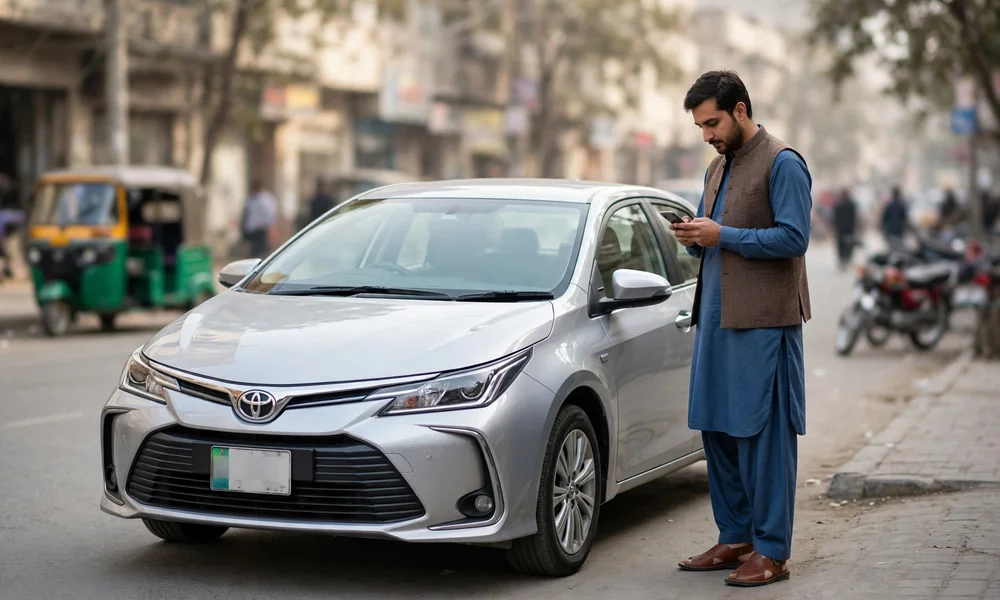
Buying a used car or motorcycle in Punjab used to begin with a trip to the Excise office and a long wait in a queue. Today, the first and most important step takes less than a minute on a phone. MTMIS Punjab, the online vehicle record system of the Excise, Taxation and Narcotics Control Department, lets any person check the registration record of a Punjab vehicle free of charge, using only the registration number. This guide explains what MTMIS Punjab is, how to verify a vehicle step by step, what each field in the result means, and how registration, token tax and ownership transfer fit around the verification record.
Table of contents
- What is MTMIS Punjab
- The official channels at a glance
- Why vehicle verification matters
- What you need before you start
- How to verify a vehicle online, step by step
- Vehicle verification by SMS
- Vehicle verification by CNIC
- What the verification record shows
- Vehicle registration basics
- Token tax basics
- Transfer of ownership basics
- Common problems and how to solve them
- Staying safe while you verify
- Frequently asked questions
What is MTMIS Punjab
MTMIS stands for Motor Transport Management Information System. In Punjab, the system was developed by the Excise, Taxation and Narcotics Control Department with the Punjab Information Technology Board (PITB), and it holds the official registration record of vehicles registered in the province. Every car, motorcycle, rickshaw and commercial vehicle registered with a Motor Registration Authority (MRA) in Punjab has a record in this database, and the public verification service reads directly from that record.
The head of the department sits in Lahore, and its district offices feed the same central database. For that reason, a vehicle registered in Multan, Rawalpindi, Faisalabad or any other Punjab district can be verified through the same single portal; there is no separate portal for each city. The department website is excise.punjab.gov.pk, and the verification service itself runs at mtmis.excise.punjab.gov.pk. Owners of Lahore-registered vehicles can follow the city-specific notes in the MTMIS Lahore guide.
The official channels at a glance
| Task | Official channel |
|---|---|
| Verify a registered vehicle | mtmis.excise.punjab.gov.pk |
| Check dues and use the motor vehicle tax calculator | epay.punjab.gov.pk |
| Pay token tax, transfer fee and other dues | ePay Punjab app, then pay the PSID through a bank app, ATM or wallet |
| Book a counter appointment | appointment-excise.punjab.gov.pk |
| Track a registration or smart card application | MTMIS application tracking on the portal |
| Download the e-registration card | The virtual card service linked from the Excise portal and apps |
| Department helpline | 1035 (listed on the department website) |
| PITB vehicle services helpline | 0800-08786 |
Only the channels in this table are official. Any website or agent that charges a fee for basic verification is charging for a service the government provides free. Traffic fines sit outside the Excise record: camera-issued fines are handled by the Punjab Safe Cities Authority, and the guide on how to check and pay a Punjab e-challan online covers that separate system.
Why vehicle verification matters
A verification check is the cheapest protection a buyer can get, because most used vehicle fraud leaves a trace in the registration record. A two-minute check helps you avoid:
- Stolen vehicles offered for sale with forged papers.
- Non-custom-paid vehicles carrying fake or duplicate registration numbers.
- Token tax defaulters, because unpaid token tax becomes the problem of the new owner after transfer.
- Engine or chassis mismatches, which can point to a tampered, reassembled or cut-and-shut vehicle.
- Duplicate registration books issued against one number, a sign that the file has been manipulated.
If the record on the screen does not match the physical vehicle and the documents in front of you, the correct decision is to stop the deal. No discount is large enough to make a disputed vehicle a good purchase.
What you need before you start
Verification requires very little:
- The vehicle registration number, copied exactly from the number plate or the registration card (for example LEA-1234 or ABC-24-1234).
- The registration date of the vehicle, printed on the smart card or in the registration book. The current online form asks for this date as a security check.
- A phone or computer with an internet connection for the web portal, or any mobile phone for the SMS method.
- For a serious pre-purchase check, the registration card or book of the vehicle and the CNIC of the seller, so that names and numbers can be compared side by side.
How to verify a vehicle online, step by step
- Open the official portal at mtmis.excise.punjab.gov.pk. Type the address yourself instead of following a link forwarded in a message.
- Select the vehicle verification option on the home page.
- Enter the registration number exactly as it appears on the plate. If the portal rejects the format, try the same number without dashes.
- Enter the registration date exactly as printed on the smart card or registration book.
- Complete the captcha or security code shown on the page.
- Select Search or Verify.
- Read the record that appears, and compare every field with the vehicle and its documents before you discuss price.
Take a screenshot or print the result. If a dispute arises later, that record is your evidence of what the official database showed on the day of the check. For a slower walkthrough of the same form, field by field, read how to verify a vehicle online on MTMIS Punjab, step by step.
Vehicle verification by SMS
Internet access is not required. PITB operates an SMS verification service for Punjab vehicles:
- Open the messaging application on any mobile phone.
- Type the full registration number of the vehicle.
- Send the message to 8785.
- Read the reply, which carries the core record: owner name, make and model, engine and chassis numbers, registration date and token tax status.
The SMS reply is shorter than the web result, so use it as a first screen. Before a purchase, confirm the full record on the web portal or at the MRA office. The full method, including what to do when no reply arrives, is covered in the guide to vehicle verification by SMS.
Vehicle verification by CNIC
Guides and users often ask for a list of every vehicle registered against one CNIC. Some services describe a verification-by-CNIC option on the portal: open the verification page, choose the CNIC option where it is offered, enter the 13-digit CNIC without dashes, complete the captcha and submit. One caution is important: public sources disagree about how much CNIC-based information the open portal displays, and full personal data is not published openly for privacy reasons. If the portal does not return the list you need, the record can still be confirmed at the MRA office of the district, where staff verify CNIC-linked vehicles against the same database.
What the verification record shows
The result page is divided into owner details, vehicle details, payment details and, where relevant, application tracking. Read it in this order:
- Owner name and father name — these must match the CNIC of the seller exactly. A different name means the seller is not the registered owner.
- Owner city — the district of registration.
- Make, model and year — the manufacturer description of the vehicle, for example Toyota Corolla 2019.
- Engine number — the online result displays the engine number; compare it digit by digit with the stamping on the engine itself, not only with the book. A single wrong digit is a serious warning. The online result does not display the chassis number, so compare the chassis number printed on the smart card or registration book with the stamping on the frame of the vehicle.
- Registration date — the date the vehicle was first registered in Punjab.
- Vehicle price — the value recorded at registration, which the department uses in several fee calculations.
- Colour — should match the vehicle; a different colour can mean a repaint or a wrong record.
- Token tax paid up to — the date until which the annual token tax stands paid.
- Latest payment details — the date and amount of the most recent payment recorded against the vehicle.
- Application tracking — where a registration, transfer or card application exists, its type, the challan payment date and the current status.
Vehicle registration basics
Verification reads the record; registration creates it. A new vehicle in Punjab is registered at the MRA of the district, and dealers usually start the process at the point of sale through the Dealer Vehicle Registration System. The standard application is made on Form F, supported by the CNIC of the owner, the original sales invoice and the sales certificate of the vehicle. Imported vehicles also need customs documents, including the Goods Declaration. On registration, the owner receives a registration number and, in place of the old paper book, a chip-based smart card, which is printed centrally and delivered by post. A fee applies for the card; published schedules in recent years have listed different amounts, so confirm the current figure on the official portal before you pay. While the physical card is in transit, the free e-registration card (virtual card) can be downloaded and used as proof of registration. The full document list and office sequence are set out in how to register a new vehicle in Punjab, and the card itself is explained in the guide to the vehicle registration smart card in Punjab.
Token tax basics
Token tax is the annual tax that keeps a vehicle legally on the road in Punjab, and the verification record shows the date until which it stands paid. The amount depends mainly on engine capacity and vehicle type. Under the current structure, cars up to 1000cc pay a one-time lifetime token tax, motorcycles pay a lifetime token at registration, and larger cars pay an annual amount, with percentage-based bands for higher engine capacities in the recent schedules. Rates change with the provincial budget, so treat any printed table, including tables on this website, as a guide and confirm the live amount due for your vehicle before paying. A separate walkthrough shows how to check token tax online in Punjab for a specific vehicle.
Payment runs through ePay Punjab. Enter the registration number, review the calculated dues, and generate the challan. The system issues a 17-digit PSID (Payment Slip ID), which can be paid through any bank application, internet banking, an ATM or a mobile wallet. The department has also offered a rebate, commonly 10 percent, for owners who pay the full year tax early in the financial year; check the portal for the current deadline. The complete payment sequence, from generating the challan to confirming the payment, is in the guide on how to pay token tax online with ePay Punjab.
Transfer of ownership basics
When a Punjab vehicle is sold, the ownership record must move to the buyer; possession of the vehicle and its card is not a legal transfer. The modern process is biometric. The buyer starts the transfer in the ePay Punjab app, the system calculates the transfer fee and any outstanding token tax, and a PSID is generated and paid. After payment, the vehicle record shows a bio-pending status, and both the seller and the buyer complete biometric verification, either through the NADRA Pak ID app on a phone or at a facilitation centre. Once biometrics clear, the department approves the transfer and a new smart card is printed for the buyer. Sellers should never hand over a vehicle on an informal open letter; without a completed biometric transfer, the record, and the legal risk, stay with the seller. The full sequence, with documents and timings, is in how to transfer vehicle ownership in Punjab.
Common problems and how to solve them
- No record found. Check the number format first: remove dashes, confirm the district code letters, and confirm the vehicle is Punjab-registered. Vehicles from Islamabad, Sindh or another province sit in different databases and will never appear on the Punjab portal. Very old vehicles that were never digitised may also need an office visit.
- The engine or chassis number does not match. Stop. Ask the seller for an explanation and documentary proof, such as an engine change recorded by the department. Without one, walk away.
- Token tax shows dues the seller did not disclose. The dues belong to the vehicle record. Settle them before transfer, either by the seller clearing them or by an agreed reduction in price.
- The smart card has not arrived. Use application tracking on the portal with the tracking ID from the receipt. Cards that cannot be delivered are returned; the portal also carries a return shipment tracking option, and the card can then be collected from the MRA office.
- The result differs from a screenshot the seller sent earlier. Trust only a check that you run yourself, at the time of the deal. Screenshots can be edited or taken from a different vehicle.
- The portal is slow or unavailable. Try again outside peak hours, or use the SMS service on 8785 for the core record.
Staying safe while you verify
Verification is free. Never pay an agent, a website or an application for a basic MTMIS check, and never pay a third party for the e-registration card, which the department provides free of cost. Type official addresses yourself, because look-alike websites copy government pages to harvest data and fees. Finally, remember the limit of the check: MTMIS confirms the registration record, but theft reports sit with the police, so pair the MTMIS check with a police clearance check before a high-value purchase.
Frequently asked questions
Is MTMIS Punjab vehicle verification free?
Yes. Verification on the official portal and the core SMS check are government services, and neither channel asks for a payment before it shows the record. Agents who charge for a basic check are charging for information that the government provides at no cost.
Which vehicles can be verified on MTMIS Punjab?
Any vehicle registered with a Motor Registration Authority in Punjab, including cars, motorcycles, rickshaws and commercial vehicles, can be checked on the one portal. Vehicles registered in other provinces must be checked on the portal of that province. Motorcycles follow the same record with two details that deserve extra care, covered in the guide to motorcycle verification on MTMIS Punjab.
What is the SMS number for Punjab vehicle verification?
Send the registration number by SMS to 8785. The reply carries the owner name, make and model, engine and chassis numbers, registration date and token tax status. The reply is a short summary, so confirm a serious purchase on the full web record before money changes hands.
Can a vehicle be verified by CNIC?
The portal has offered CNIC-based options, and CNIC-linked records exist in the database. Public sources differ on how much the open portal displays, so a complete CNIC list may require a visit to the MRA office with the original CNIC. Staff at the office can confirm every vehicle recorded against the identity card.
What should a buyer do if the owner name in MTMIS differs from the seller?
Do not proceed until the difference is resolved, because only the registered owner, or the legal heirs of that owner with documents, can transfer the vehicle. A mismatch usually means an earlier sale was never transferred. The safe course is to ask the seller to complete the pending transfer first or walk away from the deal.
Does a clean MTMIS record guarantee that a vehicle is not stolen?
No. The record confirms registration data held by the Excise department, and a clean result is a strong first screen. Theft and criminal reports are held by the police, so a separate police check is advisable for expensive vehicles.
How long does the smart card take after registration or transfer?
Timelines vary with printing and postal load, and published estimates range from about two weeks to a month. Use the application tracking service on the portal to follow the card, and download the free e-registration card for use in the meantime. A returned card can be collected from the MRA office of the district.
Where can problems with the record be reported?
Start with the MRA office of the district of registration, because that office owns the file. The department lists helpline 1035 on its website, and PITB publicises 0800-08786 for vehicle services, including the doorstep registration and transfer service. Carry the registration card and your CNIC to any office visit.
This article is an independent guide published by mtmispunjabvehicle.com. This website is not the official website of the Excise, Taxation and Narcotics Control Department, Punjab. Fees, rates and procedures change through official notifications, so always confirm the final figures and requirements on the official portal before making a payment.