What is a PSID and how to pay it through any bank app, ATM or wallet
Every Punjab government payment for a vehicle now travels through one number: the PSID. The token tax challan, the registration fee voucher and the Safe City e-challan all end at the same 17-digit Payment Slip ID (PSID), and the payment stays incomplete until that number is paid through a banking channel. This guide defines the PSID, shows where the number comes from, lists every channel that accepts it, and explains the recovery steps for an expired voucher or a failed payment. The PSID sits inside the payment journey described in MTMIS Punjab: the complete guide to online vehicle verification.
Table of contents
- What a PSID is
- Where a PSID comes from
- How to generate a PSID for a vehicle payment
- How to read the PSID voucher
- How to pay a PSID through a bank app
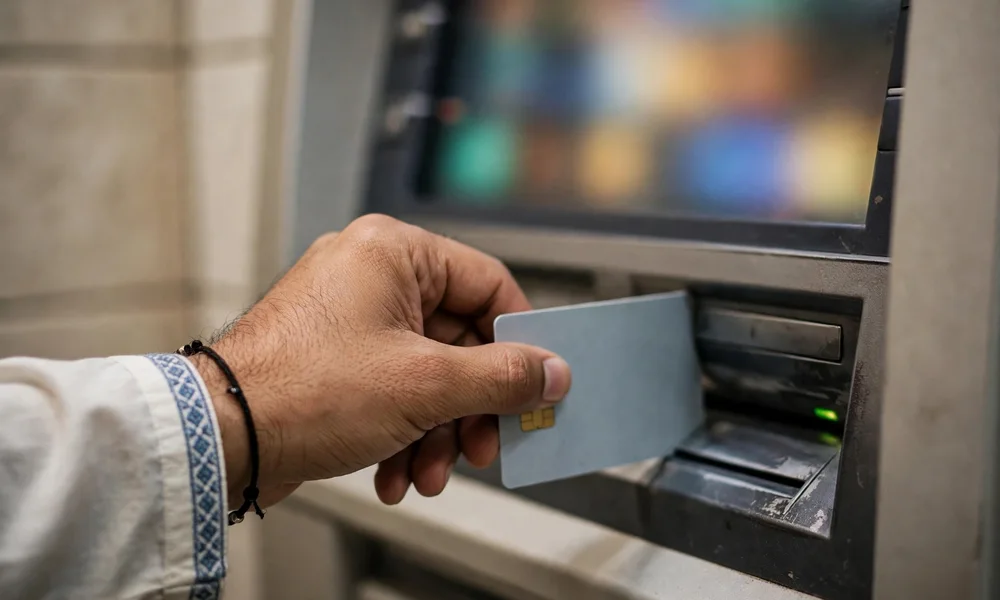
- How to pay a PSID at an ATM
- How to pay a PSID through a mobile wallet
- PSID validity and expiry
- Payment failed, pending or deducted twice
- After the payment succeeds
- Frequently asked questions
What a PSID is
A PSID is a 17-digit consumer number that the ePay Punjab platform issues for one specific dues record. The Punjab Finance Department and the Punjab Information Technology Board (PITB) operate ePay Punjab as the single collection gateway for provincial taxes, fees and fines. The PSID binds four facts into one reference: the department that raised the dues, the person or vehicle charged, the exact amount, and the last date for payment.
One PSID pays one dues record only. A separate PSID covers the token tax of a second vehicle, and a separate PSID covers each e-challan group the owner selects for payment. The banking system reads the PSID, fetches the amount from the government record, and returns a paid status against the same number, so no channel requires manual entry of the amount.
Where a PSID comes from
A department system generates the PSID at the moment the dues are calculated. The Excise and Taxation Department record produces the PSID for token tax, registration and transfer payments, and the Punjab Safe Cities Authority (PSCA) record produces the PSID for each e-challan. The owner meets the same number in three places:
- The ePay Punjab mobile application and the ePay Punjab website, which present the dues and issue the PSID on screen
- The department portal that calculated the dues, which hands the owner a printable voucher carrying the PSID
- A confirmation message or email that ePay Punjab sends with the PSID and the amount after generation
The guide on how to pay token tax online with ePay Punjab follows one full generation cycle for token tax.
How to generate a PSID for a vehicle payment
The generation sequence stays the same across vehicle services. Here is how to generate a PSID:
- Open the ePay Punjab application or the service portal for the dues, for example the token tax service.
- Select the vehicle service and enter the registration number of the vehicle.
- Review the dues record that the system returns.
- Confirm the record and tap or click the generate challan command.
- Save the 17-digit PSID from the screen, and download or print the voucher where the portal offers one.
The dues must be correct before generation. A wrong registration number creates a PSID against the wrong vehicle, and payment against that PSID clears the dues of the other vehicle. The owner should compare the vehicle details on the dues screen with the smart card before pressing the generate command. The dues come from the record read in how to check token tax online in Punjab, so a mismatch here is a record problem, not a payment problem.
How to read the PSID voucher
The table below lists each printed field and the check that belongs to it.
The voucher fields and the check for each field:
| Field on the voucher | What the payer checks |
|---|---|
| PSID | The full 17 digits, entered without spaces at payment |
| Vehicle registration number | The exact number on the plate and the smart card |
| Amount | The total dues, including any surcharge shown on the dues screen |
| Expiry date and time | The last moment the voucher accepts payment |
A payer who finds a wrong amount or a wrong registration number on the voucher should abandon that PSID and regenerate the dues. Payment channels do not edit a PSID.
How to pay a PSID through a bank app
Every major bank application in Pakistan carries the Government of Punjab payment option through the 1Link network. Here is how to pay a PSID in a bank app:
- Open the mobile banking application and sign in.
- Open the bill payment section.
- Select government payments, then the Government of Punjab or ePay Punjab biller.
- Enter the 17-digit PSID.
- Review the consumer name and the amount that the application fetches.
- Confirm the payment and save the receipt or screenshot.
Internet banking follows the same sequence under the same biller name, and the fetched amount must match the voucher amount before confirmation.
How to pay a PSID at an ATM
Any 1Link member bank ATM accepts a PSID, and the payer needs no account at that bank beyond a valid debit card. Here is how to pay a PSID at an ATM:
- Insert the debit card and enter the PIN.
- Select bill payment from the menu.
- Select government payments or the GoPb biller.
- Enter the 17-digit PSID.
- Confirm the name and amount shown on the screen.
- Complete the payment and retain the printed ATM receipt.
How to pay a PSID through a mobile wallet
Easypaisa and JazzCash both carry the ePay Punjab biller under government payments, so a wallet user pays a PSID without a bank account. Here is how to pay a PSID in a wallet application:
- Open the wallet application and open bill payments.
- Select government payments or government fees.
- Select ePay Punjab.
- Enter the 17-digit PSID.
- Review the fetched name and amount.
- Authorize the payment and save the transaction ID.
Wallet biller availability can change, and the wallet menu is the final authority for that application. A payer whose wallet does not list ePay Punjab still holds the bank app and any 1Link ATM. Any branch of a 1Link member bank also accepts a printed PSID voucher for cash payment over the counter, and the teller enters the PSID under the Government of Punjab collection and returns a stamped copy as the receipt.
PSID validity and expiry
Every PSID carries a printed expiry date and time, and the banking channels refuse the number after that moment. Published guides disagree on the standard window, with some services describing about 24 hours and others describing a few days, because the window is set per service at generation. The expiry printed on the voucher governs, and the payer should read it at generation rather than rely on a general rule.
An expired PSID costs nothing to replace. The owner returns to the dues screen, regenerates the challan, and receives a new PSID for the same dues. The unpaid expired PSID simply lapses, and no dues stand marked paid against it. Payment on the day of generation is the safe pattern, because a slow channel near the expiry moment can complete after the window closes and fall into a failed or reversed state.
Payment failed, pending or deducted twice
A failed payment and a deducted payment are different events, and the first step separates them. The payer checks the bank or wallet transaction history for the PSID amount:
- No deduction shown. The payment never left the account. The payer retries through the same or another channel, after confirming that the PSID has not expired.
- Deduction shown, record still unpaid. The payment stands pending between the bank and the government system. The payer waits and rechecks the dues record, because pending payments normally settle or reverse without a second attempt. A second payment in the pending window creates a duplicate.
- Deduction shown twice. The payer keeps both receipts and raises the duplicate with the bank that processed the second payment, and the department confirms the paid status against one PSID.
The paid or unpaid status of the dues record is the final test. The owner confirms Excise dues on the vehicle record through the verification service, and unresolved cases go to the Excise helpline on 1035 with the PSID and the receipt in hand. The PITB helpline for PITB service questions is 0800-08786.
After the payment succeeds
A successful payment updates the government record against the PSID. For token tax, the token paid up to date on the vehicle record moves forward to the new period, and the owner confirms the change on the verification result. The owner should keep the paid voucher, the bank receipt or the transaction ID until the updated record has been seen online, because a traffic stop or a transfer counter accepts the receipt as interim proof during any short delay.
Frequently asked questions
Is a PSID the same as a challan number?
No. A challan is the dues document a department raises, and the PSID is the 17-digit payment reference ePay Punjab attaches to it for banking channels. The PSID is the number every payment channel asks for.
Can a PSID be paid from any bank?
Yes. The 1Link network connects the Government of Punjab biller to member bank applications, internet banking, ATMs and branch counters, so the payer uses an existing bank relationship.
Can one PSID pay the dues of two vehicles?
No. A PSID binds one dues record. The owner generates and pays a separate PSID for each vehicle.
Does an expired PSID create a fine or a penalty?
No. Expiry cancels the payment reference only. The underlying dues stay exactly as calculated, and regeneration produces a fresh PSID for the same amount, with any time-based surcharge applied by the dues calculation itself.