How to book an Excise appointment online in Punjab
An owner in Punjab books an excise appointment online through appointment-excise.punjab.gov.pk and completes counter work at the booked office inside a booked window. The appointment covers vehicle registration, transfer of ownership and token tax counter work, and the booking replaces the open queue of the walk-in counter with a fixed slot. The Punjab Excise and Taxation Department runs the service, and the Punjab Information Technology Board built the Appointment Management System for the department. The sections below state the booking sequence by function, the documents for the visit and the limits of the published record.
Table of contents
- What the appointment system covers
- The booking sequence, step by step
- Preparation for registration and token tax appointments
- Preparation for a transfer appointment
- The appointment and the walk-in counter compared
- A change of plan before the booked visit
- Services that run online without an appointment
- Frequently asked questions
What the appointment system covers
The Excise services page of the department lists counter services by appointment at appointment-excise.punjab.gov.pk. The Punjab Information Technology Board (PITB) built the Appointment Management System for the department, and the department launched the system in June 2020. Launch reporting records one operating detail with clarity: a citizen receives the appointment confirmation by mobile message after booking. The system books time at a counter and grants no approval by itself. The office completes the service during the visit against the documents and the dues of the case.
The appointment covers the counter services that require a physical file and an officer decision: vehicle registration, transfer of ownership and token tax counter work. In contrast, a reading of dues or a record requires no counter, and a later section states the online route for those tasks.
One honesty point governs every description in this guide. No official page publishes the current on-screen labels of the portal. This guide describes every screen by function, and wording on the portal can differ from the descriptions in this guide. A reader follows the function of each screen, for example the service selection screen or the office selection screen.

The booking sequence, step by step
The sequence below states the booking by function, from the opening of the portal to the confirmation message.
- Open the appointment portal at appointment-excise.punjab.gov.pk.
- Register an account or sign in with the CNIC number and the mobile number.
- Select the service the visit requires, such as vehicle registration, transfer of ownership or token tax counter work.
- Select the office or center for the visit.
- Select an available date and a time slot for the appointment.
- Confirm the booking and record the appointment reference.
The portal sends the confirmation by mobile message, and the message carries the appointment reference for the visit. An owner holds the confirmation message and presents the reference at the office. The portal account carries the booking record as well, and the account gives the owner a second route to the reference on the day of the visit.
Preparation for registration and token tax appointments
The file decides the pace of a registration appointment. The owner arrives at the booked office inside the booked window with the original documents and the copies for the service, and a registration case carries the registration file and Form F. The owner carries the appointment reference from the confirmation message as well, because the counter opens the booked case against the reference. A complete file lets the officer process the case inside the booked window, and a missing document returns the case to a later visit.
A token tax appointment follows the payment logic of the dues. The owner reads the dues position before the visit and carries a payment route for the dues of the service, through a challan or a PSID. The payment document carries the 17-digit Payment Slip ID (PSID), and a bank application, an ATM or a mobile wallet accepts payment against the PSID on ePay Punjab at epay.punjab.gov.pk.
How to register a new vehicle in Punjab states the full registration journey, from Form F to the registration record and the smart card.
Preparation for a transfer appointment
A transfer appointment rests on the record of the vehicle and the identity documents of the case. The owner arrives inside the booked window with the registration book or the smart card, the vehicle file and the CNIC copies for the transfer. The owner carries the appointment reference and a payment route for the dues of the transfer, through a challan or a PSID. The counter matches the record against the file during the visit, and the officer records the change of ownership after the match and the payment of dues.
A file with a missing CNIC copy or a missing page stops the case at the counter, and the booked window closes without a completed record. An owner checks the file against the document list before departure and confirms the spelling of names on the copies against the record. An owner with a dues question settles the question through the online dues reading before the visit, and the counter visit then covers the transfer alone.
How to transfer vehicle ownership in Punjab states the transfer sequence in full, including the record check after the counter completes the change.
The appointment and the walk-in counter compared
The table below states the contrast between a booked visit and a walk-in visit at the same office.
| Point of contrast | Booked appointment | Walk-in visit |
|---|---|---|
| Entry to the counter | The owner books a date and a time slot online in advance | The owner arrives at the office without a booking |
| Position in the day | The office serves the owner inside the booked window | The counter serves visitors in token order on the day |
| Proof of the slot | The confirmation message carries the appointment reference | The token of the day carries the position |
| Preparation point | The owner assembles documents before a known window | The owner assembles documents before an open-ended wait |
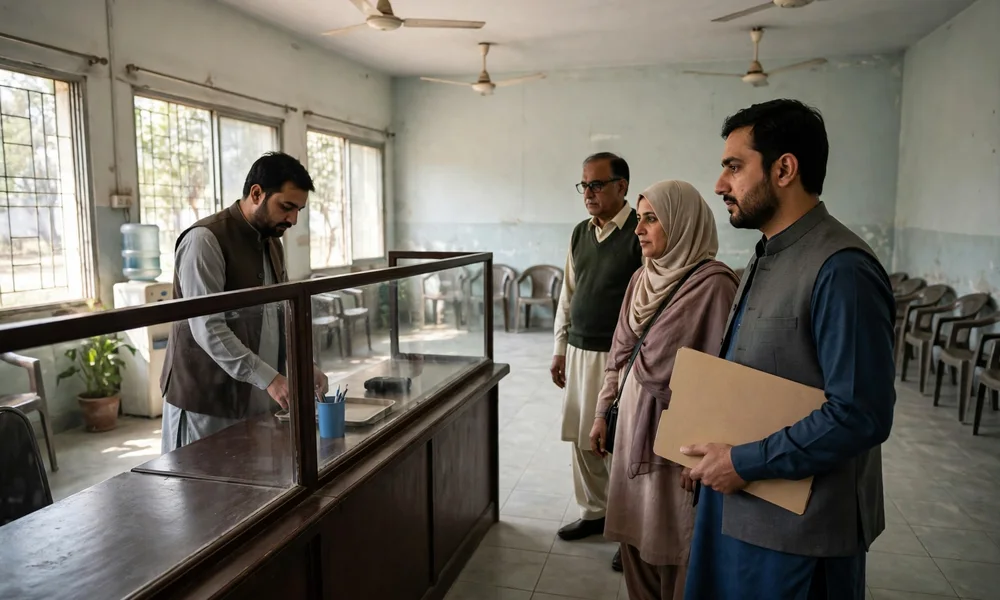
An appointment replaces the open queue with a booked window. A walk-in visit keeps value for an owner with an urgent case and no available slot, and the counter serves walk-in visitors in token order on the day. Offices and demand differ by district. As a result, this guide gives no waiting-time promise for either route, and a reader treats any waiting-time figure from an agent with caution.
A change of plan before the booked visit
The portal account carries the booking record, and the record gives the owner control of the slot after booking. An owner who cannot attend should change or release the slot through the portal before the booked time. The guidance route stands open as well: the Excise helpline 1035 and the PITB helpline 0800-08786 give guidance on the booking, and an owner takes guidance on either helpline before the booked time. This guide states the change route as guidance, because the department publishes no cancellation deadline for the appointment service.
The department publishes no booking fee for the appointment service, and the appointment itself carries no charge in the department service list. No booking fee stands published. An owner pays the dues of the underlying service at the visit, through the challan or the PSID for the case, and a demand for a booking fee from any person stands outside the published service list.
Services that run online without an appointment
Three services run online from start to finish, and no appointment applies to the three services. Vehicle verification runs on the official portal at mtmis.excise.punjab.gov.pk. The verification form asks for the registration number, the registration date and the security code, and the result shows the engine number and the record of the vehicle. The result shows no chassis number, and a reader holds that limit in mind during a purchase check. SMS verification runs beside the portal: the owner sends the registration number to 8785 and receives the record by message.
Dues reading and PSID payment run online as well. The owner reads the dues for a registration number on ePay Punjab and pays against the PSID through a bank application, an ATM or a mobile wallet. The paid receipt records the transaction, and the owner holds the receipt with the vehicle documents. An appointment serves the counter cases alone: registration, transfer and token tax counter work with a file and an officer decision.
MTMIS Punjab: the complete guide to online vehicle verification covers the verification record, the SMS route and the reading of the result in full.
Frequently asked questions
Does the appointment carry a booking fee?
No. The department publishes no booking fee for the appointment service, and the appointment itself carries no charge in the department service list. The owner pays the dues of the underlying service at the visit, and no booking fee stands published.
Does the portal send a confirmation after booking?
Yes. Launch reporting records that the citizen receives the appointment confirmation by mobile message. The message carries the appointment reference, and the owner holds the message and presents the reference at the booked office.
Does an owner need an appointment for vehicle verification?
No. Vehicle verification runs online on mtmis.excise.punjab.gov.pk and by SMS to 8785, and neither route requires an appointment or an office visit. The appointment system covers counter services alone, such as registration, transfer of ownership and token tax counter work.
Does a walk-in visit remain possible without an appointment?
Yes. The walk-in counter serves visitors in token order on the day, and an owner without a booking takes a token at the office. An appointment replaces the open queue with a booked window, and no waiting-time promise applies to either route.
Does the appointment complete the service online?
No. The appointment books a window at a counter, and the office completes the service during the visit against the documents and the dues of the case. The online part of the journey ends at the confirmation message, and the counter part begins at the booked office.
Can an owner change a booking before the visit?
Yes. The portal account carries the booking record, and the owner changes or releases the slot through the portal before the booked time. The Excise helpline 1035 and the PITB helpline 0800-08786 give guidance on the change, and the department publishes no cancellation deadline for the service.