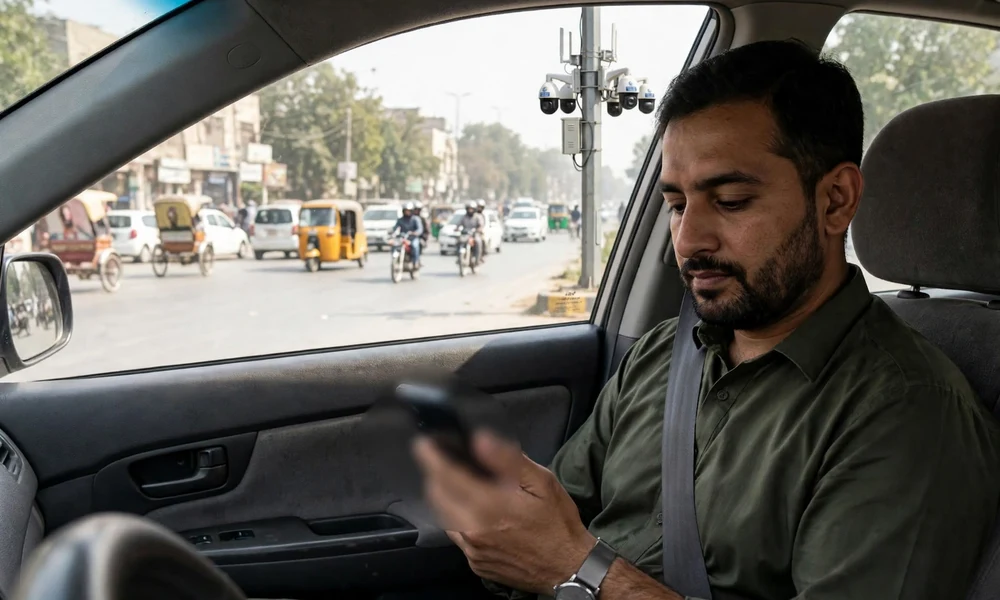
Punjab Police has reminded motorists that they can check their traffic e-challans from home through the Punjab Safe Cities Authority (PSCA) Public Safety App, without visiting a traffic police office.
Punjab Police has reminded motorists that they can check their traffic e-challans from home through the Punjab Safe Cities Authority (PSCA) Public Safety App, without visiting a traffic police office. The reminder was shared in a public message on October 27, 2026, pointing drivers to the app’s “Search Challan” feature.
What happened
In a message posted on X on October 27, 2026, the official Punjab Police account told citizens that checking a vehicle e-challan has become easier through the Punjab Safe Cities app. The message advised motorists to open the app and use the “Search Challan” option to view their challan details on their mobile phones.
The PSCA Public Safety App is the official application of the Punjab Safe Cities Authority. Alongside emergency and citizen-support services, it includes an e-challan section where vehicle owners can check, download and manage their challans. The app is available for Android and iOS devices.
How the check works
According to the Punjab Police message, the process is short. The motorist opens the PSCA Public Safety App, selects the “Search Challan” option and views the challan details linked to the vehicle. The facility is meant to save a trip to a traffic office for a routine record check.
Owners who find an unpaid challan should confirm that the registration number and vehicle details shown match their own vehicle before paying. Genuine challans can be settled through official payment channels, and the payment receipt should be kept as proof in case of any later dispute. The full checking and payment process is explained in the e-challan guide.
What it means for vehicle owners
For vehicle owners in Punjab, the reminder is a practical one. Traffic challans issued through Safe City cameras are recorded against the vehicle, not only against the driver on the spot, so a fine can sit on a record unnoticed until it is checked. A quick check before a long trip, a token tax payment or a sale can prevent an unpleasant surprise later.
The reminder also matters for used-vehicle buyers. Before paying for a car or motorcycle, a buyer should verify the vehicle record through the MTMIS Punjab vehicle verification guide, which shows the registered owner and tax status, and separately check for unpaid challans. A vehicle that looks clean at first glance can still carry pending fines from its previous owner.
Owners should also be careful about where they check and pay. Only the official PSCA app, the official e-challan portal and authorised payment channels should be used. Third-party applications that claim to offer the same service are not official, and no agent should be paid to “clear” a challan outside the official system.
Key points
- On October 27, 2026, Punjab Police reminded motorists to check e-challans through the PSCA Public Safety App.
- The app’s “Search Challan” option shows challan details on a mobile phone, with no visit to a traffic office required.
- The PSCA Public Safety App is the official app of the Punjab Safe Cities Authority and includes e-challan management.
- Owners should confirm the registration number and vehicle details before paying any challan.
- Genuine challans should be paid only through official channels, and the receipt should be kept as proof.
- Buyers should verify a used vehicle record and check for unpaid challans before completing a purchase.
Sources: Bloom Pakistan, October 2026, reporting the Punjab Police message on X dated October 27, 2026; Punjab Police official account (@OfficialDPRPP) on X, October 27, 2026; PSCA Public Safety App listing on Google Play.